Report card season — May & June
Report cards done. Before you expect them to be.
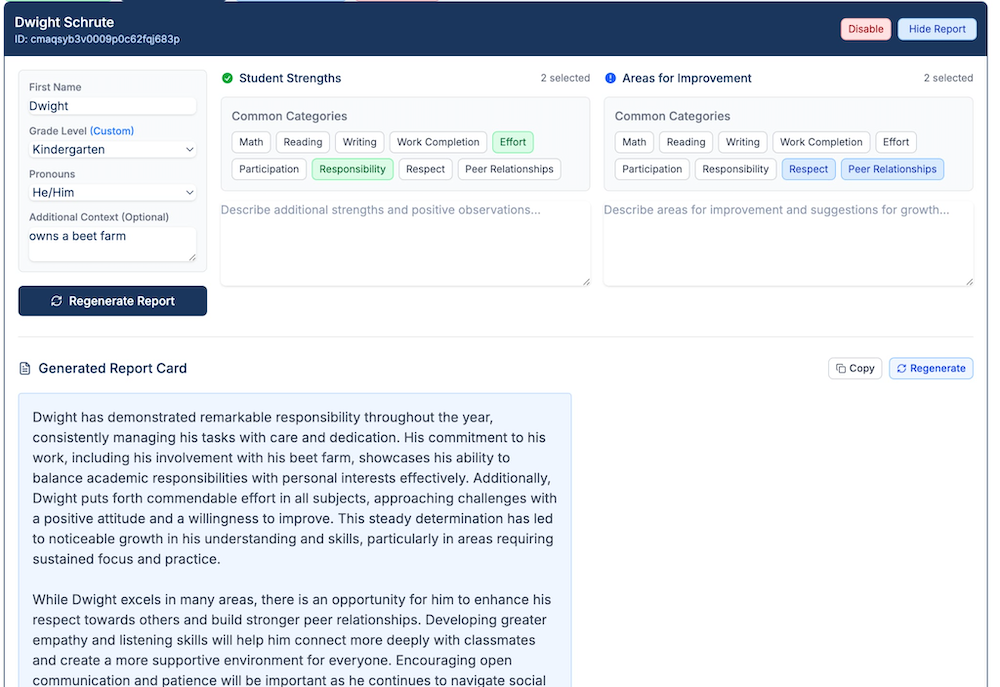
You have 28 report cards and the window is closing. Pick a student, set the tone, choose what to highlight — and get a strong draft in seconds. Edit what you want. Use what you don't change. Done.

“Instructron is the most useful AI website to use in the classroom I have found to date. My students and I loved how the AI coach explains how to approach different problems and answer their specific questions without simply giving them the answer.”
Start fast, stay in control
Generate a strong first draft quickly, then edit to match your voice.
Clear, professional language
Tone and focus-area controls help you keep comments consistent and specific.
Privacy-first classroom design
Instructron is built to avoid student PII and keep classroom workflows safe by default.
How it works
Pick a tone
Supportive, firm, encouraging—generate comments that fit your style.
Choose focus areas
Highlight strengths, growth areas, habits, and next steps with clarity.
Generate + personalize
Get a draft in seconds and make quick edits before sharing with families.
Frequently asked questions
Is this tool AI-powered?+
What grades is this for?+
Is my data private?+
Will it sound like me?+
Does it replace my professional judgment?+
Can this help with weekly notes or updates too?+
Ready to try it?
Create a free account in minutes. No student emails. No student accounts required.