
Every January, I (along with many others) try to reset the same way: pick the priorities that matter most and recommit to them.
For Instructron, that’s always been simple:
- Keep student data minimal.
- Keep teachers in control.
- Keep AI auditable (no black boxes).
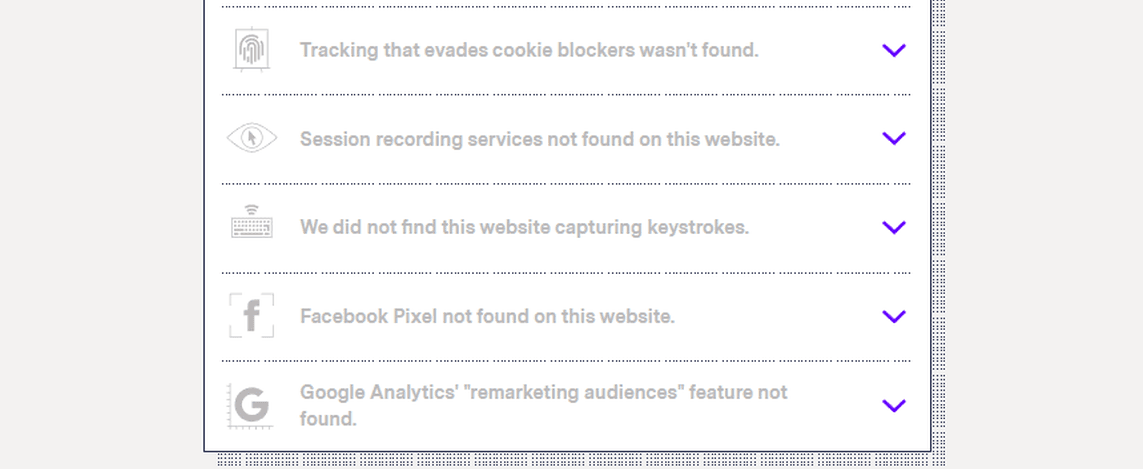
- Keep our tech stack clean (no “mystery trackers” hiding in the background).
This post is a quick check-in of that.
Our privacy approach (in plain language)
Students stay anonymous by design
Students don’t need an email address to use Instructron. They can join through a randomly generated classroom code, and the platform uses a generated ID behind the scenes.
Teachers can enter a student identifier (e.g., first name, nickname, or an anonymous code), but it’s teacher‑controlled. Many teachers use first names. Others use initials or a classroom code. We built it so teachers can choose what fits their context.
No ads. No selling data (students or teachers).
We built Instructron to support learning, not advertising. We don’t sell student data or teacher data, and we don’t run third‑party ad pixels.
We run paid ads (like Google or Meta) to help teachers discover Instructron—but we do that without installing tracking pixels on Instructron. That means giving up some “perfect attribution,” and relying instead on privacy‑friendly measurement (like aggregate campaign reporting and simple UTM links).
Teachers can see what AI is doing
When students use AI coaching features, teachers can review those interactions. Teachers can also disable AI for an entire class, specific students, or individual activities.
What we strengthened recently
A fresh “data flow” sweep (because privacy is in the details)
We re‑evaluated what data moves where (and what ends up in logs) to reduce the chance student identifiers show up in places they shouldn’t. It’s not flashy work, but it’s the kind of work that makes privacy real in day‑to‑day operations.
Subprocessors: easier to find, easier to review (“may use” posture)
We made our subprocessors list more prominent so schools and districts don’t have to guess who might be involved behind the scenes.
- Why “may use”? Some services are feature‑dependent. “May use” is the honest posture: it reflects configuration and what features you turn on.
- What we changed: clearer cross‑links from our public policy pages (and the site footer) so the list is easy to find during a review.
You can see it here: Subprocessors
More precise AI privacy wording
AI privacy is all about being specific.
Here’s the accurate version of how we handle it today:
- We do not include student roster names in AI requests.
- Students can type free text. We guide students not to share personal information, and we use guardrails/monitoring to reduce the chance of personal data reaching AI providers.
- We access model providers via API under terms intended to restrict the use of customer API data for model training.
- AI providers may temporarily retain API data for a limited period (typically up to 30 days) solely for abuse/misuse monitoring; after that, it is deleted according to provider policies. Retention varies by provider.
- Teachers can disable AI per class, per student, or per activity. Many Instructron features still work without AI, and teachers can choose what fits their classroom policy.
That retention reality is also why we built our AI stack for flexibility. We can route different tasks to different providers (or different models) depending on the use case—and some simpler tasks are good candidates to run on fully self‑hosted models on our own infrastructure. For example, generating a short title for an AI‑generated practice set is the kind of task we can handle without sending anything to an external model provider.
We’d rather be precise than overconfident. Clear language builds trust.
Privacy‑first analytics (kept intentionally simple)
We do measure product usage, but we keep it intentionally lightweight.
We self‑host our analytics (Umami) and avoid ad tracking. We also avoid “watch every click” tooling (like session replay/heatmaps) because it can send very detailed interaction data to a third party.
In practice, our goal is:
- Keep the third‑party list short and easy to explain
- Track only what we need to improve learning and teacher workflows
- Learn from teachers directly (conversations beat surveillance)
Clearer deletion path (because it should be easy)
If a school or district requests deletion, we want that process to be straightforward. The simplest path is emailing [email protected], and we’ll confirm scope (classroom vs. student vs. teacher account) before we execute the deletion.
The official details live on our Privacy Policy.
A simple “sanity check” anyone can do (what I do myself)
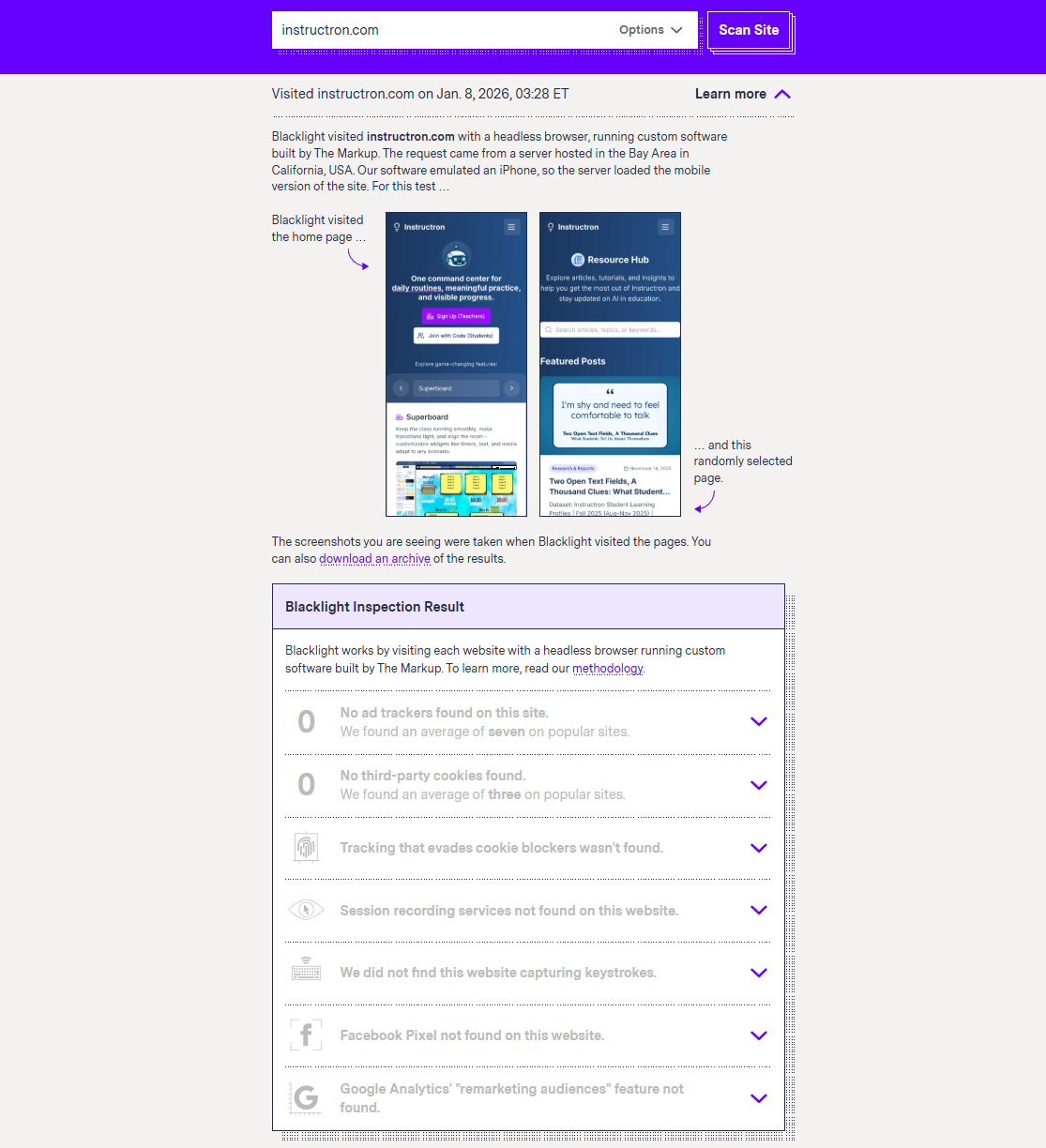
After a recent set of privacy changes, I did a quick sanity check on our own site.
Quick (non‑technical) check: run Blacklight
If you’re curious about what a site might be tracking, the easiest starting point is Blacklight by The Markup.
Paste in a URL and look for a few categories that often matter to district IT teams:
- Ad trackers
- Third‑party cookies
- Session recording / “replay” tools
- Fingerprinting / tracking that evades blockers
It’s not perfect (no scanner is), but it’s a fast way to spot “surprises.”
If you want a second, complementary skill—how to quickly skim a privacy policy for the important truth—this is a solid guide: How to Quickly Get to the Important Truth Inside Any Privacy Policy.
If you want the deeper technical view: DevTools Network
If you want to see exactly what your browser loads:
- Open the site in Chrome
- Open DevTools → Network
- Refresh the page, filter by “Script”, and scan for domains you don’t recognize
What you should expect to see on most education tools:
- The app’s own scripts (that’s the product)
- A small analytics script (ideally privacy‑first; common example: Google Analytics / Google Tag Manager)
- Billing scripts only when billing is involved (e.g., Stripe checkout)
- Support/helpdesk scripts (optional, but common)
What you should be skeptical of:
- Dozens of third‑party trackers you’ve never heard of (often pulled in by tag managers)
- Ad pixels on student pages (e.g., Meta Pixel, Google Ads conversion tags)
- Session replay / heatmaps that record detailed interactions (e.g., Microsoft Clarity, Hotjar, FullStory)
- “Fingerprinting” scripts that exist purely for tracking across sites (e.g., FingerprintJS)
A quick note on Google Analytics (why IT teams care)
Google Analytics is one of the most common scripts you’ll see on the web. It can be useful for site owners, but it also introduces an additional external data processor and typically sets a unique identifier in a browser cookie.
For district IT and privacy reviews, the concern isn’t “analytics exists.” The concern is how broadly the data can be used, and whether it can contribute to cross‑site profiling outside the school context.
If you want the official DevTools guide, here’s the Network panel reference: Chrome DevTools Network panel.
Where to find the official details
- Privacy Policy: Privacy
- Subprocessors (public list): Subprocessors
- Trust & Privacy Center: Trust & Privacy
- Terms: Terms
If you’re a school or district and want a privacy/security packet, email us at [email protected]. We’re happy to share details and answer questions.