Test maker for K–8 teachers
Build a practice test before the bell rings.
State testing is weeks away. Build standards-aligned practice sets in minutes, run them with students, and see exactly who's ready—and who isn't—before the exam.
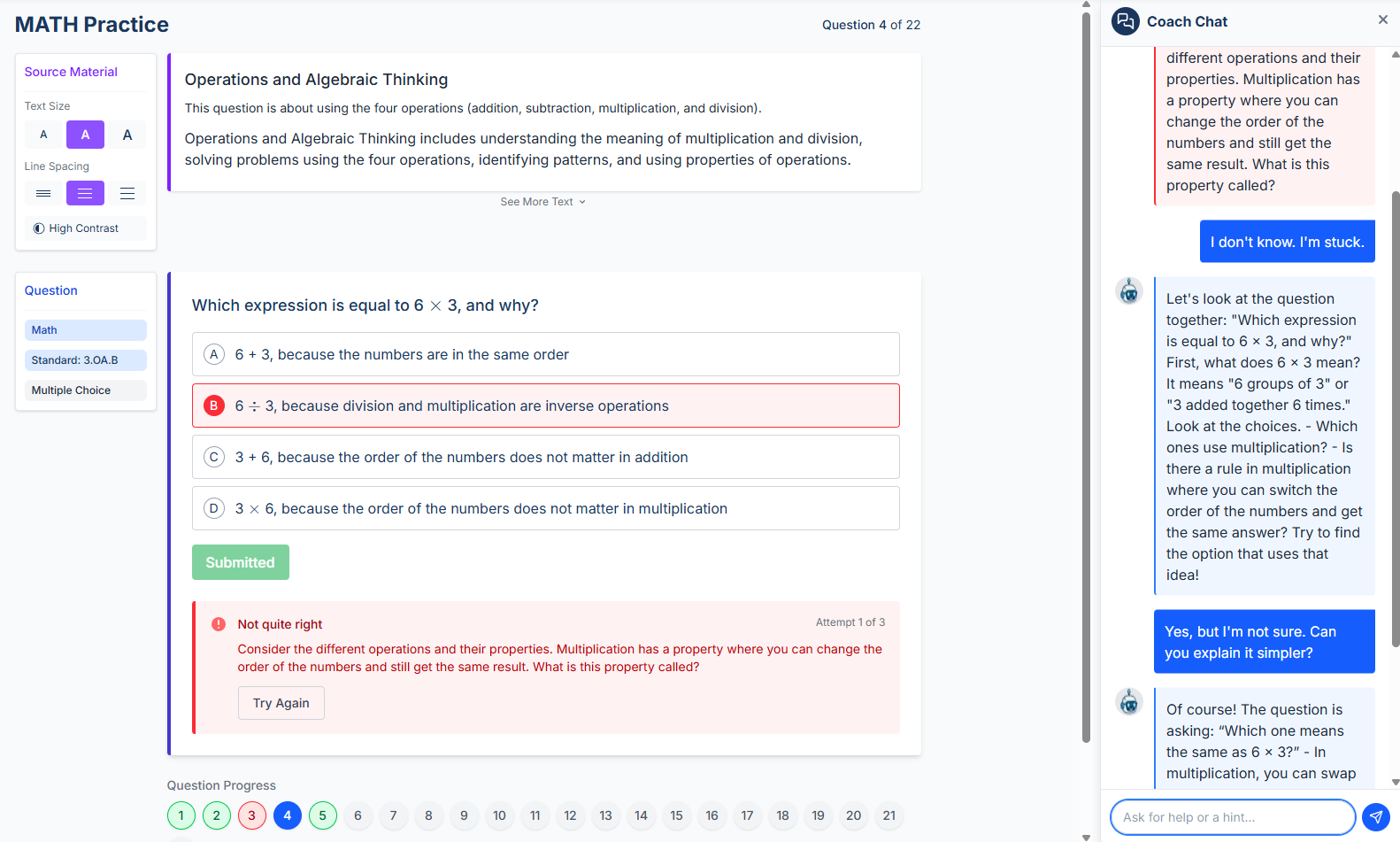

“Instructron is the most useful AI website to use in the classroom I have found to date. My students and I loved how the AI coach explains how to approach different problems and answer their specific questions without simply giving them the answer.”
AI builds it. You review it.
Pick your standards and grade level. AI generates the practice set. You review and approve before a student sees it.
Students coached on every miss
When students get something wrong, they get an explanation—not just a mark. Practice that moves the needle.
See who's ready before the test
Student results tell you where the gaps are while there's still time to close them.
How it works
Tell it what you're preparing for
Choose standards, grade level, and subject. Works for CAASPP, Smarter Balanced, STAAR, and other state test formats.
Generate + review in minutes
AI builds the practice set. You review the questions and approve before students see it.
Run it and see who needs help
Students get coached on missed questions. You get a clear view of who needs what before test day.
Frequently asked questions
Can I make a test without AI?+
What grades does this work for?+
Does this work for CAASPP / Smarter Balanced?+
What about other states—STAAR, MCAS, etc.?+
Do students just get a score, or do they get actual feedback?+
Do students need accounts?+
Ready to try it?
Create a free account in minutes. No student emails. No student accounts required.