
December was about finishing what we started---and one feature teachers have been asking for since day one.
Print Support for Tests
You can now print any practice test with one click. Clean layouts, proper page breaks, and student-friendly formatting.
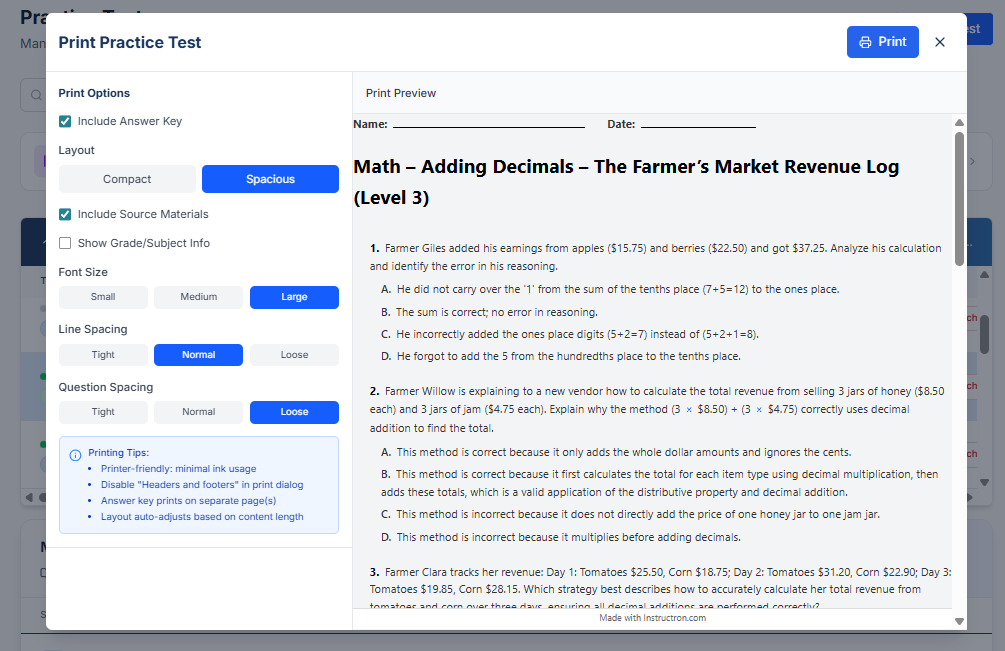
What's included:
- Print preview so you see exactly what students will get
- Answer keys print separately (no accidental reveals)
- Works for all question types including math with proper equation rendering
How to use it: Open any test from your Tests page and click the print icon. Choose "Student Copy" or "Answer Key."
Why it matters: Parent conferences, makeup work, test prep packets, accommodations that require paper---sometimes screens aren't the answer.
New Tests Management Page
All your tests in one place. The new /teacher/tests page shows everything you've created, assigned, or saved from the library.
What's new:
- Filter by class, status (draft/published), or date
- Quick actions: duplicate, archive, or assign without opening
- Ability to edit all question metadata
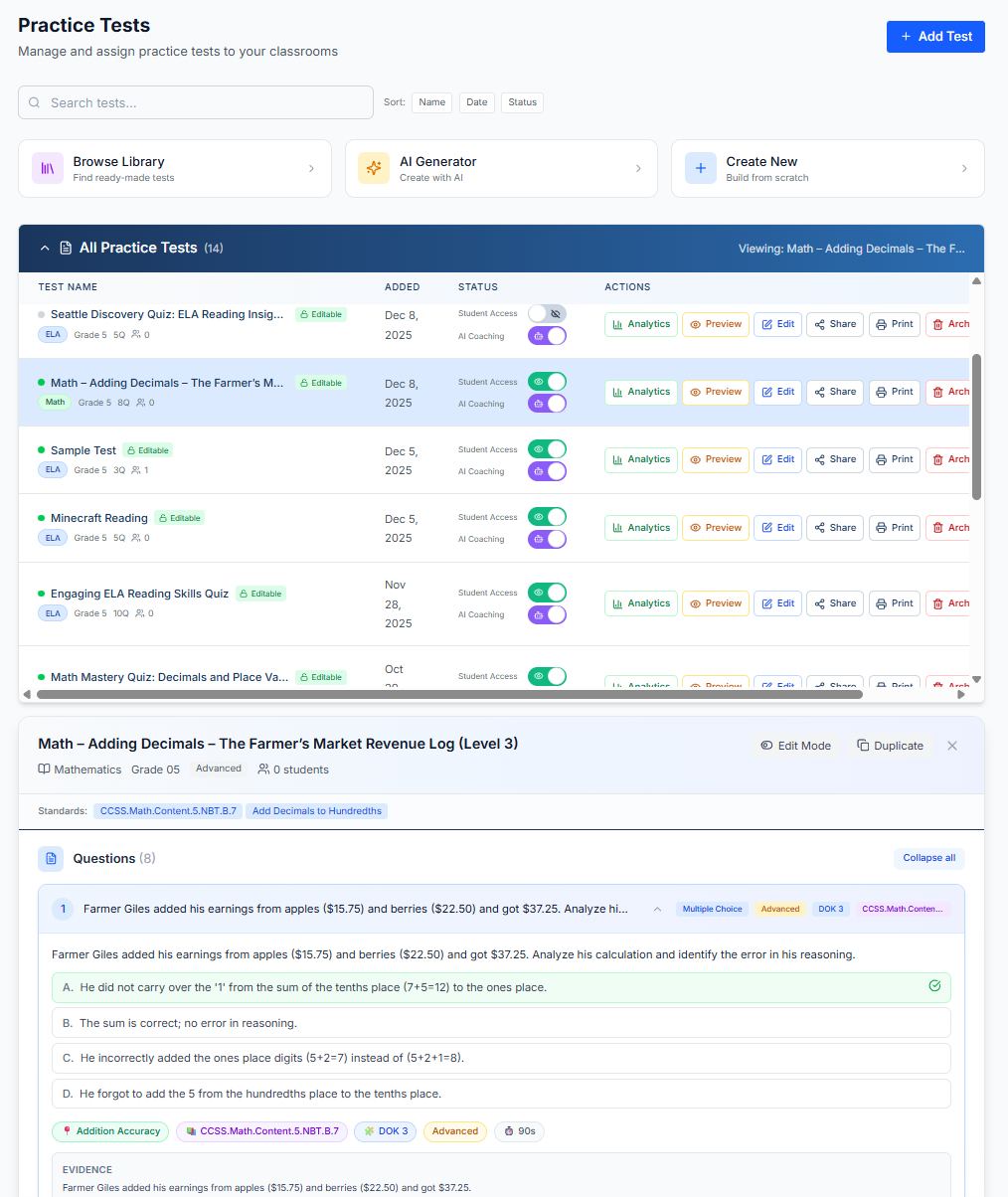
No more hunting through individual classrooms to find that test you made last month.
Superboard Theming Overhaul
New default themes that look polished out of the box. We redesigned the style panel with:
- Better color presets
- Cleaner font options
- One-click "Quick Styles" for common looks
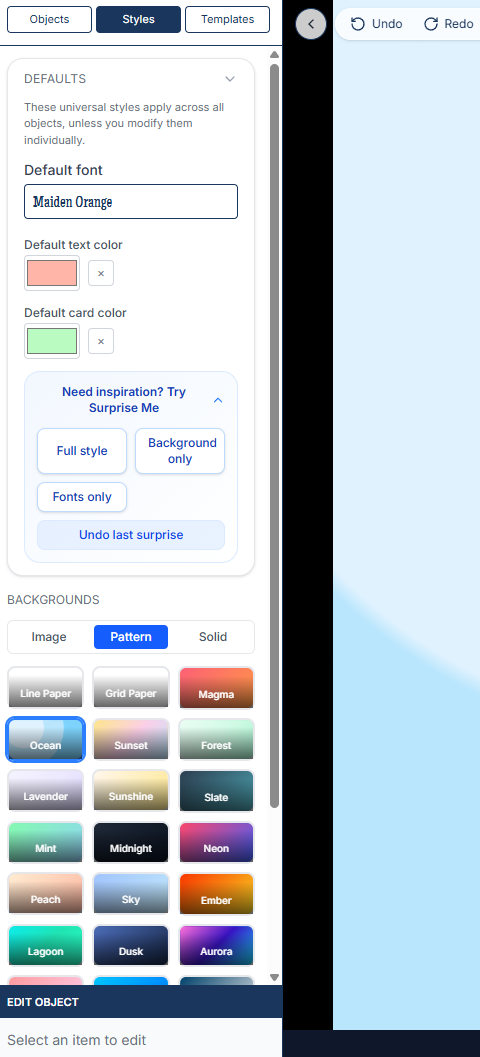
For teachers who customize: Your existing boards keep their styles. These changes just make the starting point better.
Superboard Sharing Improvements
Share boards with colleagues more easily. The new share modal shows exactly who has access and lets you copy share links instantly.
Smaller Improvements
- Thumbnail generation: Fixed cases where board previews weren't updating
- Test question rendering: Math equations display correctly in more browsers
- Template tiers: Premium templates are clearly marked with preview available for everyone
Try This Week
Print a test. See how it looks. If you've been screenshot-and-pasting into Word, this should save you time.