
This month focused on connecting the dots---helping your student data actually inform instruction, not just sit in a dashboard.
Student Profiles Now Power Report Cards
When you generate report card comments, Instructron now pulls from each student's learning profile automatically. Reading confidence, writing strategies that work, interests they've shared—it all flows into smarter, more personalized comments.
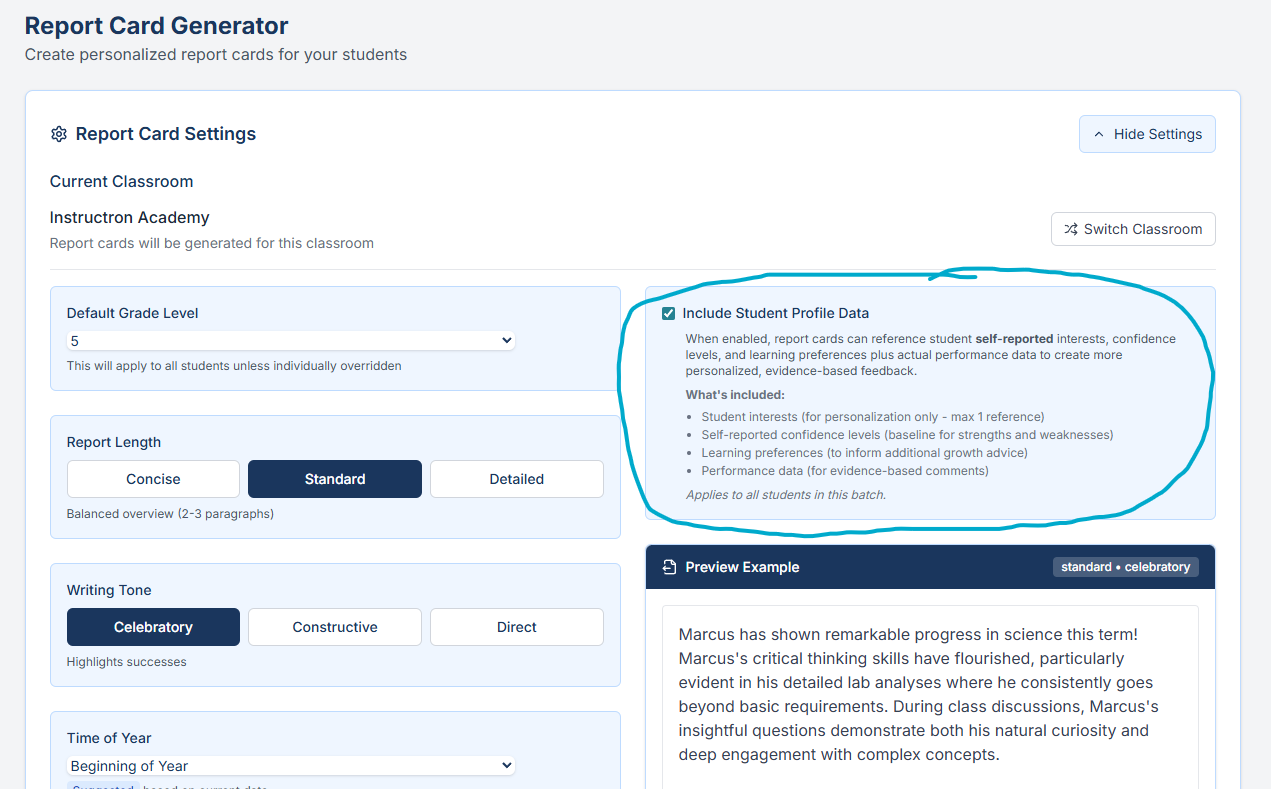
What changed: Open the Report Card Generator, select a student, and you'll see their profile data already factored into the suggested comments. Less copy-paste. More accuracy.
Custom Backgrounds for Superboard
Upload your own images as Superboard backgrounds. Class photos, subject-specific visuals, seasonal themes---whatever fits your classroom.
How to use it: In any Superboard, click the background panel and choose "Upload." Images are saved to your account and reusable across boards.
Unified Library View
Writing prompts, practice content, and Superboard templates now live in one browsable library with visual cards. Filter by subject, grade level, or activity type.
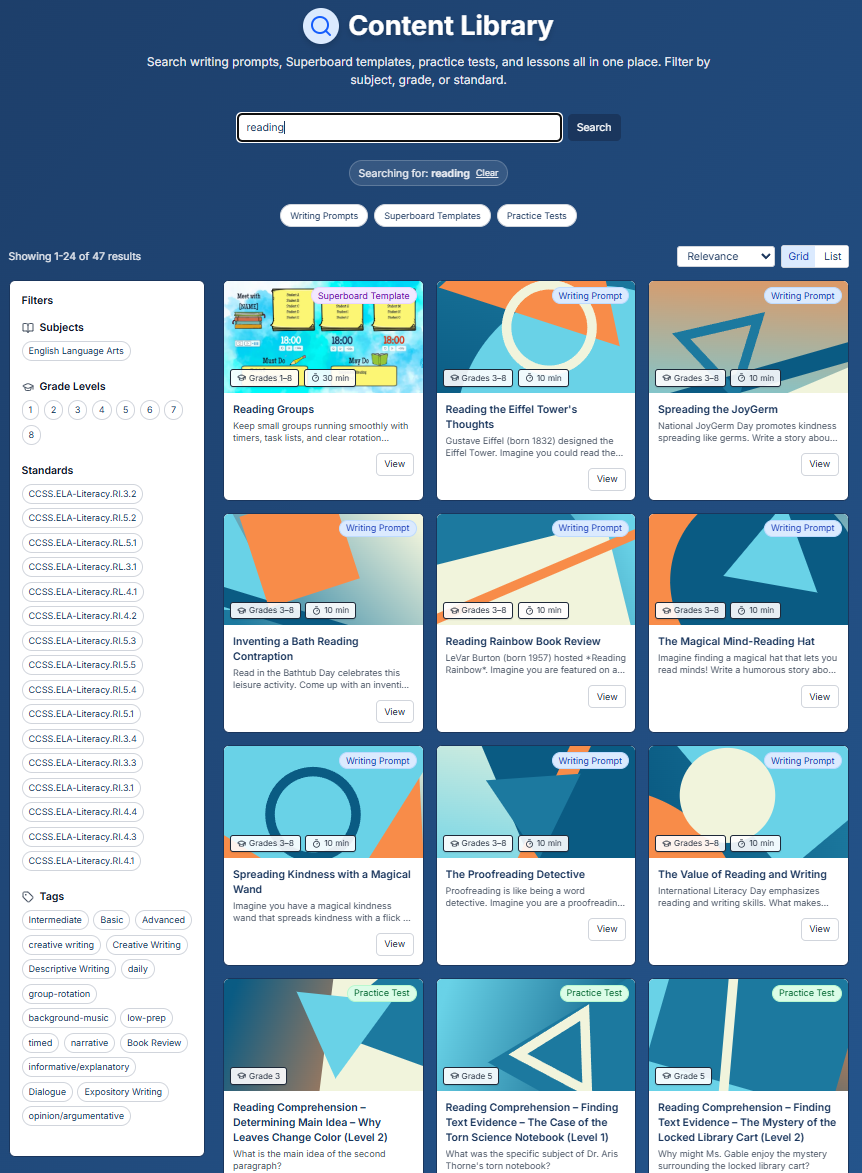
What you'll notice: Faster browsing. Preview cards show you what you're getting before you click in.
AI Test Generator Improvements
The AI test generator now shows progress as it works---so you're not staring at a blank screen wondering if something's happening. We also improved question quality for math and ELA standards.
Smaller Improvements
- Writing prompts access: Fixed an issue where some prompts weren't showing for certain grade levels
- Classroom navigation: Links work more reliably when switching between sections
- Billing page: Clearer display of your current plan and usage
Try This Week
Generate a report card comment for one student. Notice how their profile data shapes the suggestion. If something's off, update their profile—the comments will improve.