
January’s biggest update makes differentiation easier. Instead of giving every student the same test or writing activity, you can now assign work to specific students or groups — and adjust settings for individuals when needed.
Targeted Assignments
This is one teachers have asked for repeatedly: assign work to only the students who need it.
Three ways to assign:
- Individual students — Assign a test or writing activity to specific students by name. Only those students will see it in their dashboard.
- Saved groups — Assign to groups like “Reading Support,” “Table 3,” or “Intervention.” One click assigns the activity to everyone in that group.
- Smart filters — Automatically target students based on criteria like performance level or accuracy. These lists update as students improve.
How to use it:
In your classroom’s Tests or Writing Activities list, click the settings icon on any activity to choose who it’s assigned to.
Per-student overrides:
After assigning, you can make individual adjustments:
- Turn AI coaching on or off for a single student
- Hide an assignment from a student who was absent
- Adjust settings without creating a whole new activity
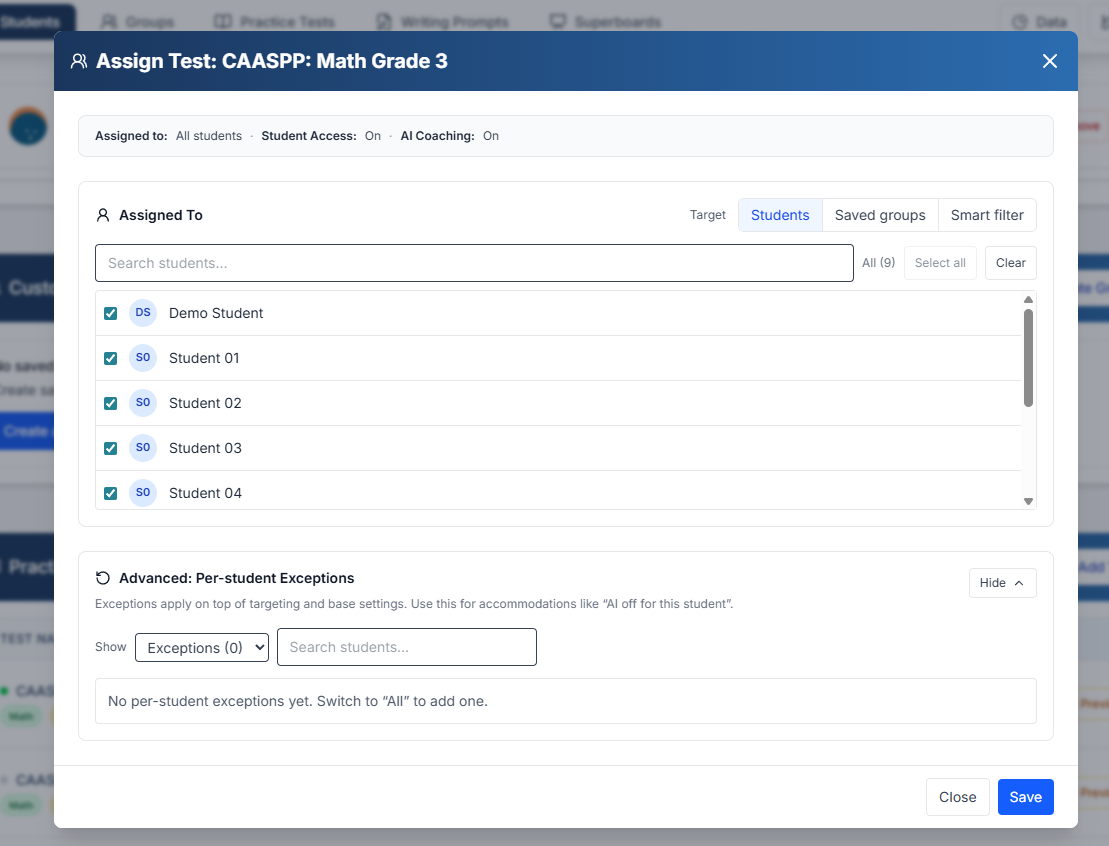
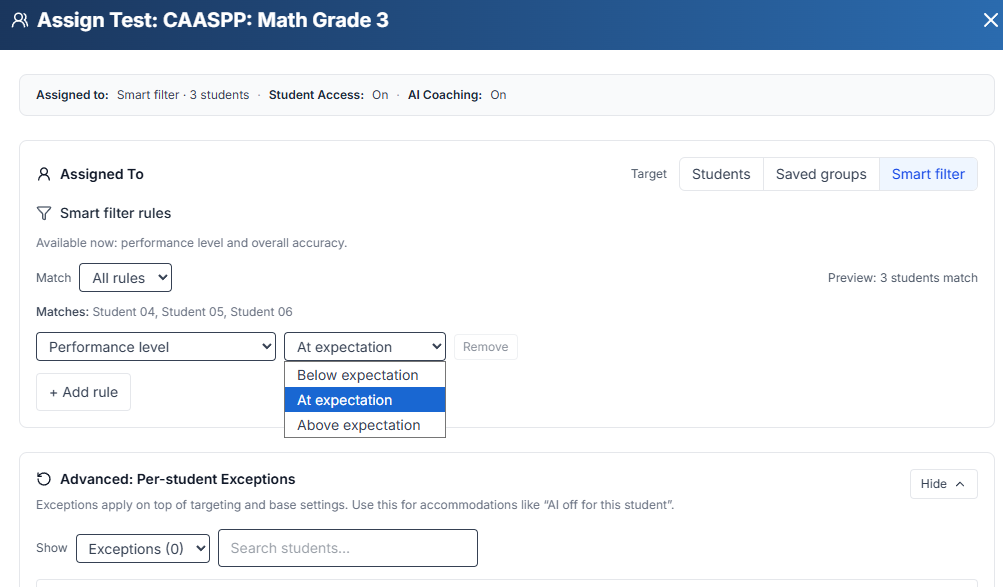
Assign by Students, Saved groups, and Smart filters
Why it matters:
You no longer need duplicate tests, extra classrooms, or workarounds. You can run remediation, enrichment, and makeup work with ease.
Persistent Student Groups
Groups you create are now saved and reusable across everything.
What’s new:
- A dedicated Groups section in your classroom
- Create groups manually or save them from the Group Generator
- Use groups anywhere you assign work
Dynamic groups:
Some groups can update automatically. For example, a group like “Students below 70% accuracy” will change as students grow — no manual edits needed.
From Group Generator to classroom:
If you already use the free Group Generator for table groups or reading circles, you can now save those groupings to your classroom and reuse them all year.
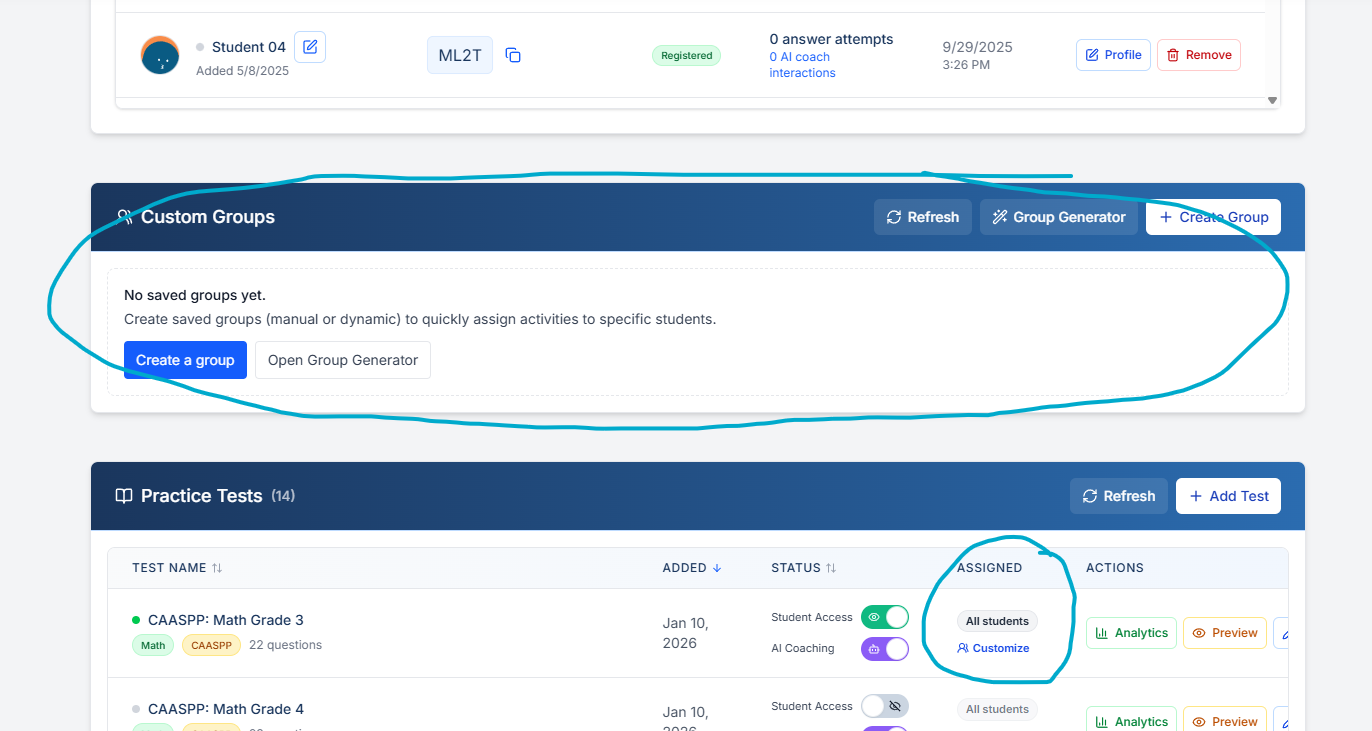
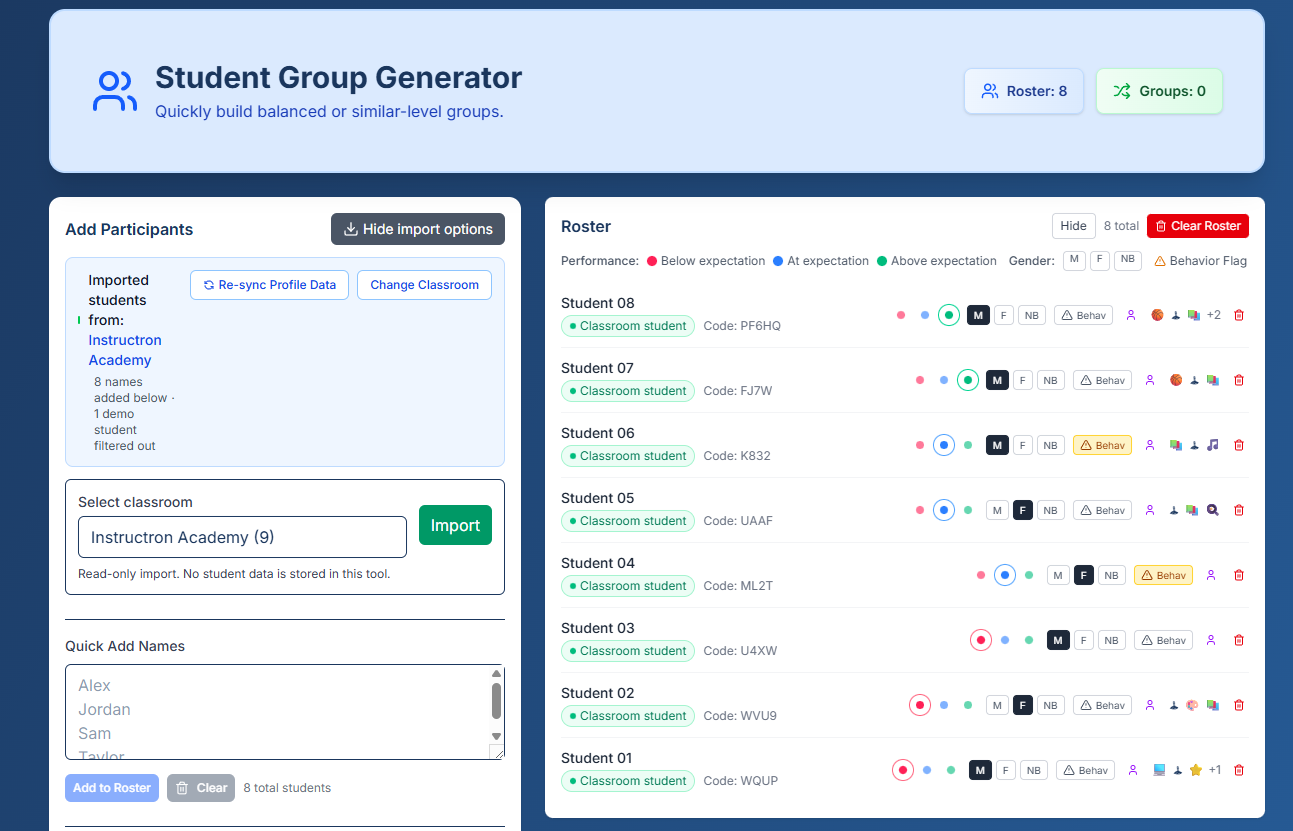
New Custom Groups section on the dashboard, and Assigned columns
Why it matters:
Once your groups are set up, assigning differentiated work takes seconds instead of minutes.
Report Card Generator Improvements
January focused on making report cards even faster and less repetitive.
Report card history:
Previously generated comments are now saved. You can review what you wrote for a student in earlier grading periods without searching old files or emails.
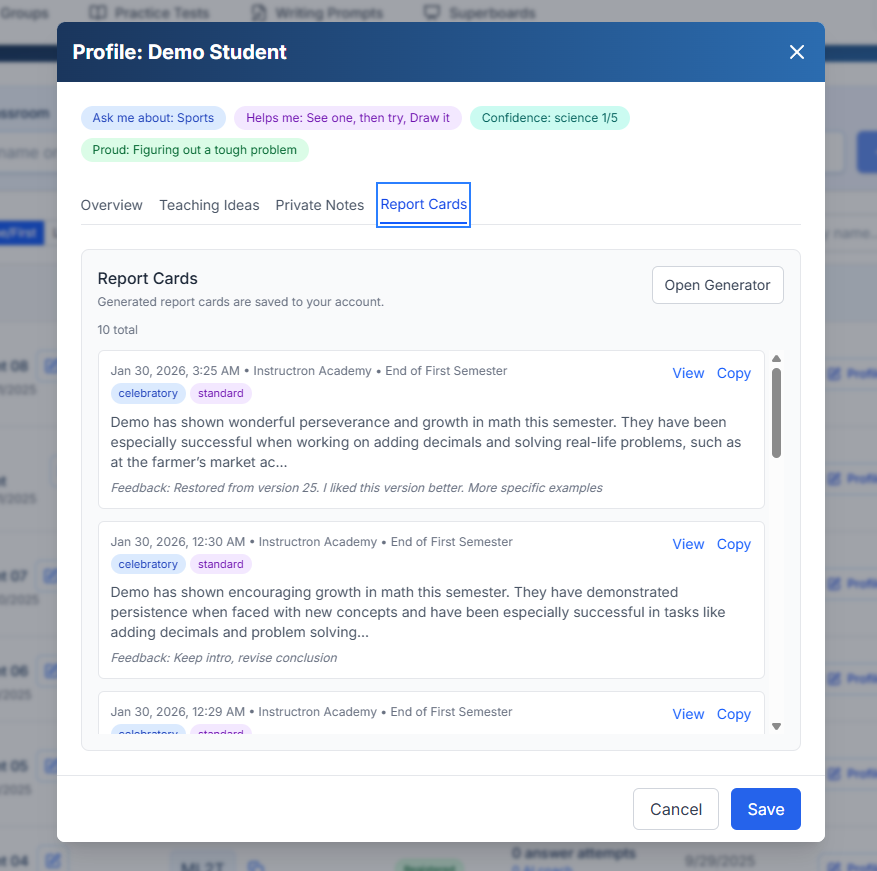
Richer student context:
While generating comments, student profiles now surface relevant information more clearly so you’re not switching between screens.
Smoother workflow:
The report card interface is faster and more responsive, especially when generating multiple comments in a row.
Test Creation & Printing Improvements
Several updates to make tests easier to use in class:
- Cleaner test layout for easier review
- Improved print formatting so paper copies look right
- Better math question variety and equation rendering
- More reliable test generation overall
Onboarding Improvements
New teachers now share a bit more context during setup so the product can better match what they need — whether that’s assessments, writing feedback, or report cards.
For existing teachers, you may see an occasional optional question asking what you want help with next. These are short, skippable, and help guide what we build.
Privacy & Trust Updates
January included a full privacy review and cleanup:
- Clear documentation of how data is handled
- No third-party tracking pixels
- Improved AI paraphrasing so student work isn’t stored verbatim
- Clearer privacy language across the app
Privacy and classroom trust remain non-negotiable.
Smaller Improvements
- Fixed Superboard preview image issues
- More reliable math equation display
- Cleaner, more consistent buttons and menus
- Improved error handling during AI generation
- Faster, more reliable deployments
Try This This Week
Create one reusable student group — reading levels, table groups, or intervention.
Next time you assign a test or writing activity, target that group instead of assigning to everyone.