Writing coach for K–8 classrooms
Every student gets help. You stay in control.
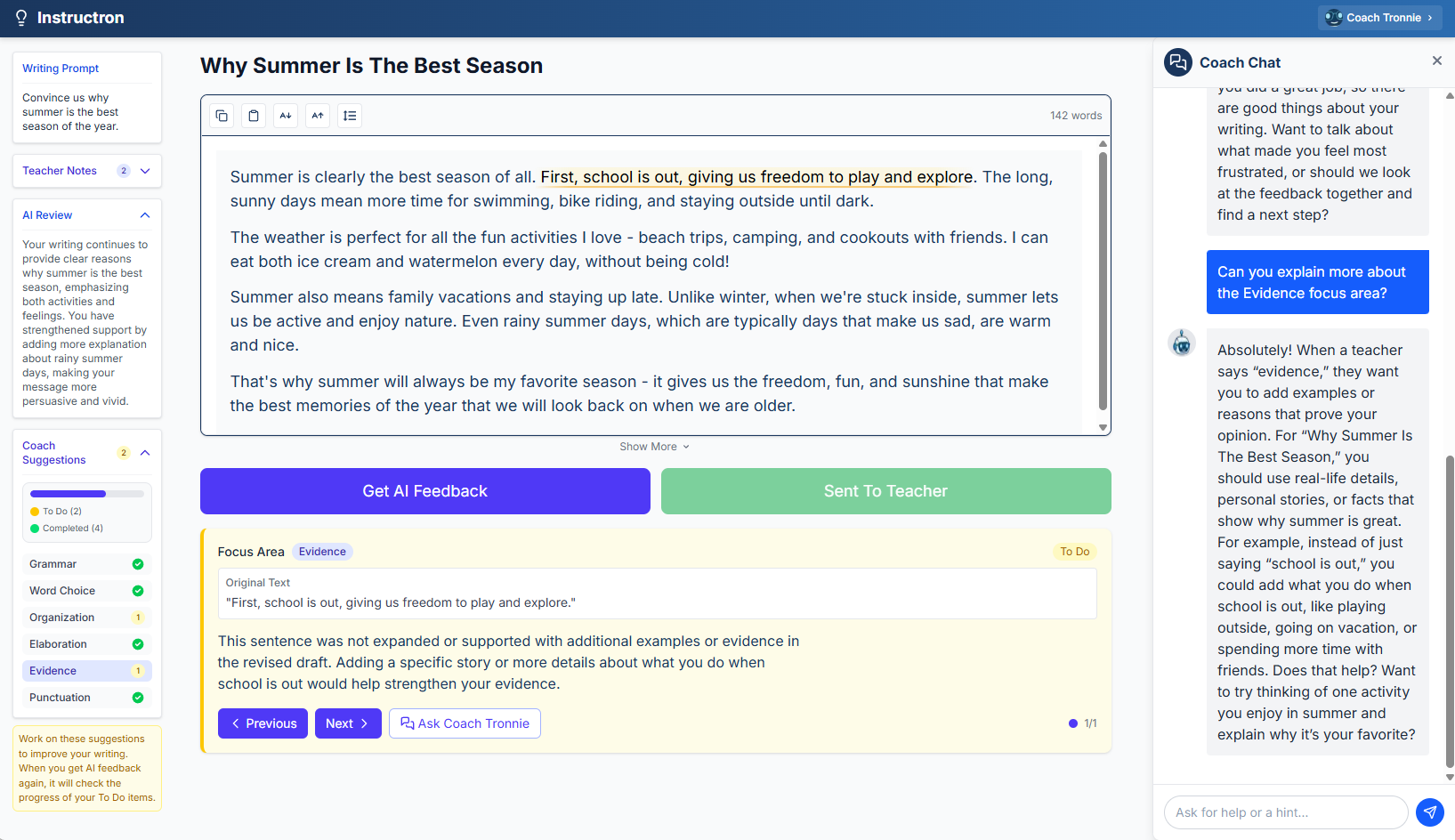
When 28 kids are writing at once, you can't be at every desk. The AI writing coach handles the 'I need help' moments — giving hints, not answers — while you circulate, observe, and teach. Anything it can't handle gets flagged for you.

“Instructron is the most useful AI website to use in the classroom I have found to date. My students and I loved how the AI coach explains how to approach different problems and answer their specific questions without simply giving them the answer.”
You can circulate without abandoning struggling students
The coach steps in when a student gets stuck — so you're not choosing between the kid with their hand up and the one who needs you across the room.
Hints, not answers — skills actually develop
The coach is designed to guide thinking, not shortcut it. Students work through their writing with prompts and questions, not copy-paste answers.
You see everything — nothing slips past
Anything the coach flags — off-topic messages, confused students, unusual requests — shows up in your teacher view so you can step in when it matters.
How it works
Assign a writing activity
Set a prompt, pick a grade level, and share a join code. Students can start in minutes — no student accounts or email addresses required.
Students write, coach helps
As students work, they can ask the AI coach for help. It responds with questions and hints that keep them thinking — not answers that do the thinking for them.
You review what needs your attention
After the session (or during), check flagged moments and see how students progressed. You were everywhere at once.
Frequently asked questions
Does the writing coach work without AI?+
Won't kids just use it to write their whole essay?+
What grades is this designed for?+
What if a student says something inappropriate?+
Do students need their own accounts or email addresses?+
Is this the same as an AI writing generator?+
Ready to try it?
Create a free account in minutes. No student emails. No student accounts required.