
February was about making the “daily use” experience clearer.
Not adding a dozen new features — more like:
- making standards feel first-class inside Explore and previews
- making the most common actions easier to find inside activities
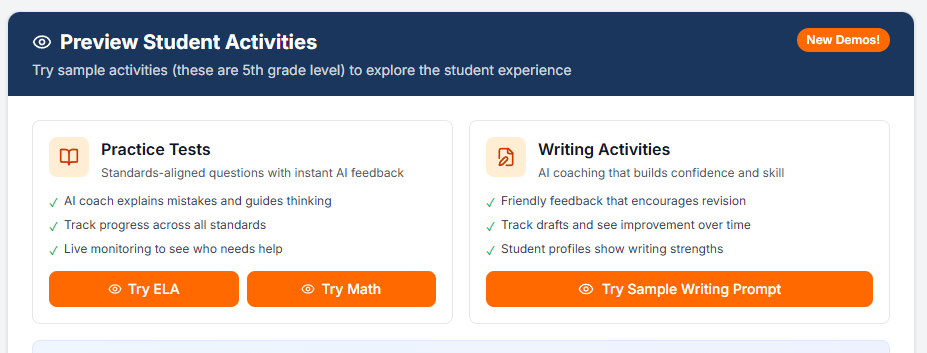
- making it way easier to try Instructron even on a free account
Standards are More Visible (and Better Integrated) in Explore + Previews
If you live in Explore / the library, this is the big one.
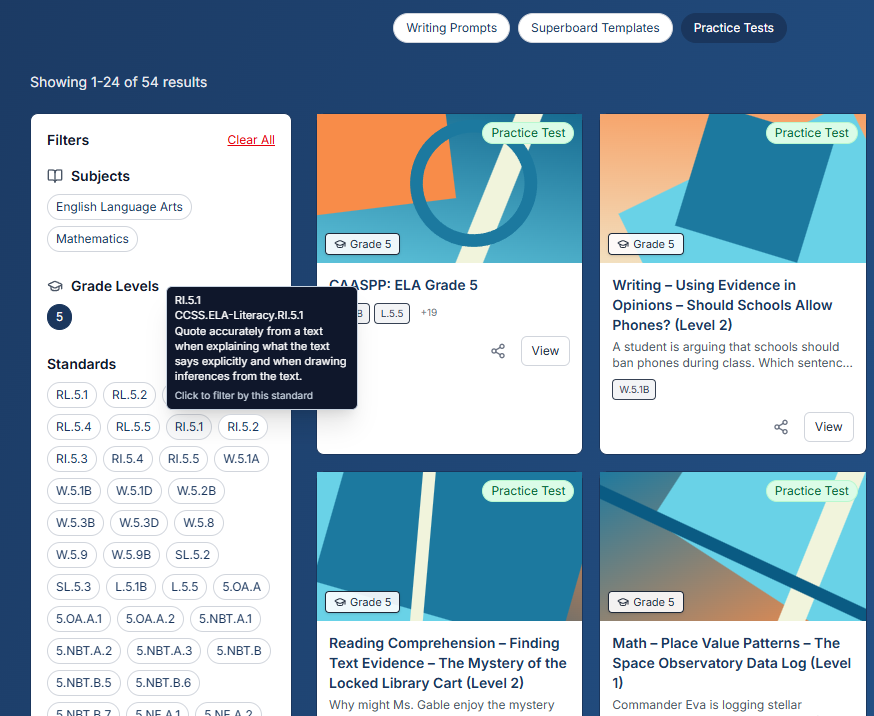
Standards are now easier to spot and actually useful while you’re browsing activities:
- Full notation (not just shorthand)
- When available, the standard description pulled from our standards catalog
- Natural sorting, so the list reads like a human wrote it
How to see it:
- Open an activity from Explore / the library
- In the Standards section, expand “View full details”
The goal here isn’t “more data.” It’s making it faster to sanity-check alignment before you pick or assign something.
New Action Bar Under Activities (Practice Tests + Writing)
This one felt like a real quality-of-life win.
We redesigned the activity UI so there’s a new action bar that sits under each activity (like practice tests and writing).
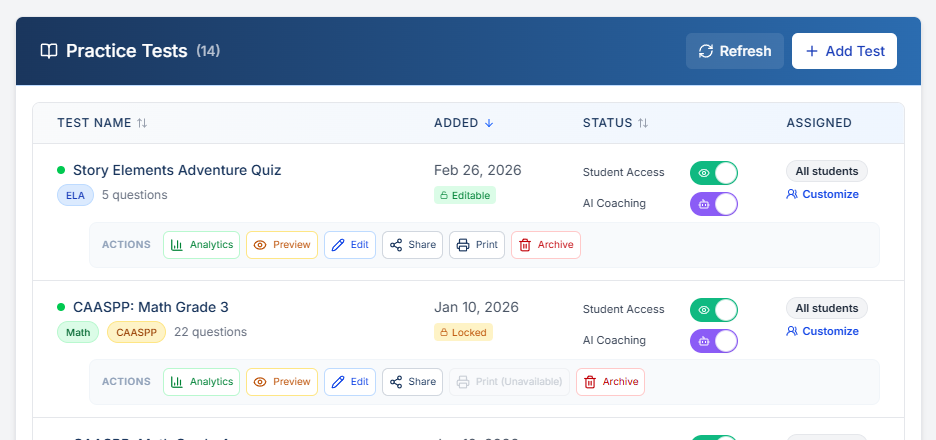
It’s much easier to see and use now — no more hunting for actions or dealing with that awkward horizontal scroll.
Better Demos: Superdemo + Free Accounts Can Try the “Full Power” Faster
We’ve been pushing hard on “show, don’t tell.”
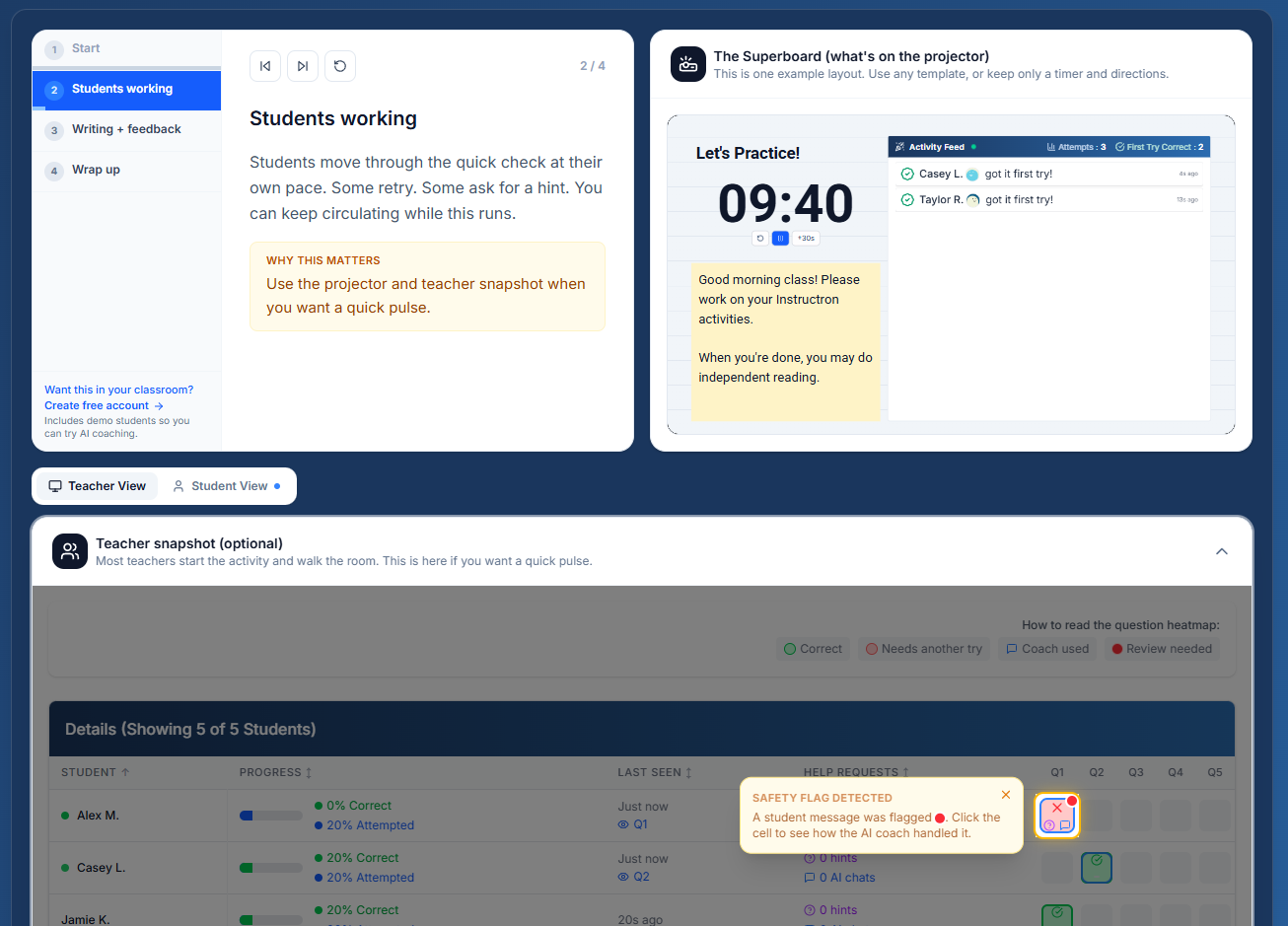
A couple big improvements:
- Superdemo — an interactive walkthrough that shows what Instructron looks like in a real classroom flow:
https://instructron.com/superdemo - Free accounts get a stronger demo experience — you can try more of the product immediately, including:
- experiencing AI coaching using the demo student
- generating report cards to see the workflow end-to-end
If you’ve ever bounced off because setup felt like a hurdle, this should feel materially better now.
If you try these and something feels confusing (or you want the action bar to include a specific shortcut), reply and tell us what you expected to happen — that feedback is how we pick the next iteration.